vILT programDreamport (Dyninno Group)
Dreamport Academy: Live Virtual Training for Future Leaders
Three 90-minute live virtual sessions in Microsoft Teams, with a six-module eLearning prerequisite, that prepare future advisors to lead remote teams.
- Audience
- Team members 3 to 6 months on the platform, applying to become advisors
- Format
- 6 eLearning modules, then 3 live sessions of 90 minutes
- My role
- Objectives, eLearning, session design, trainer scripts, assessment
- Platforms
- Microsoft Teams, Mindtickle
- Problem
- Becoming an advisor means leading a remote team, which needs new skills: reading team data, coaching from calls, running meetings and handling conflict.
- Solution
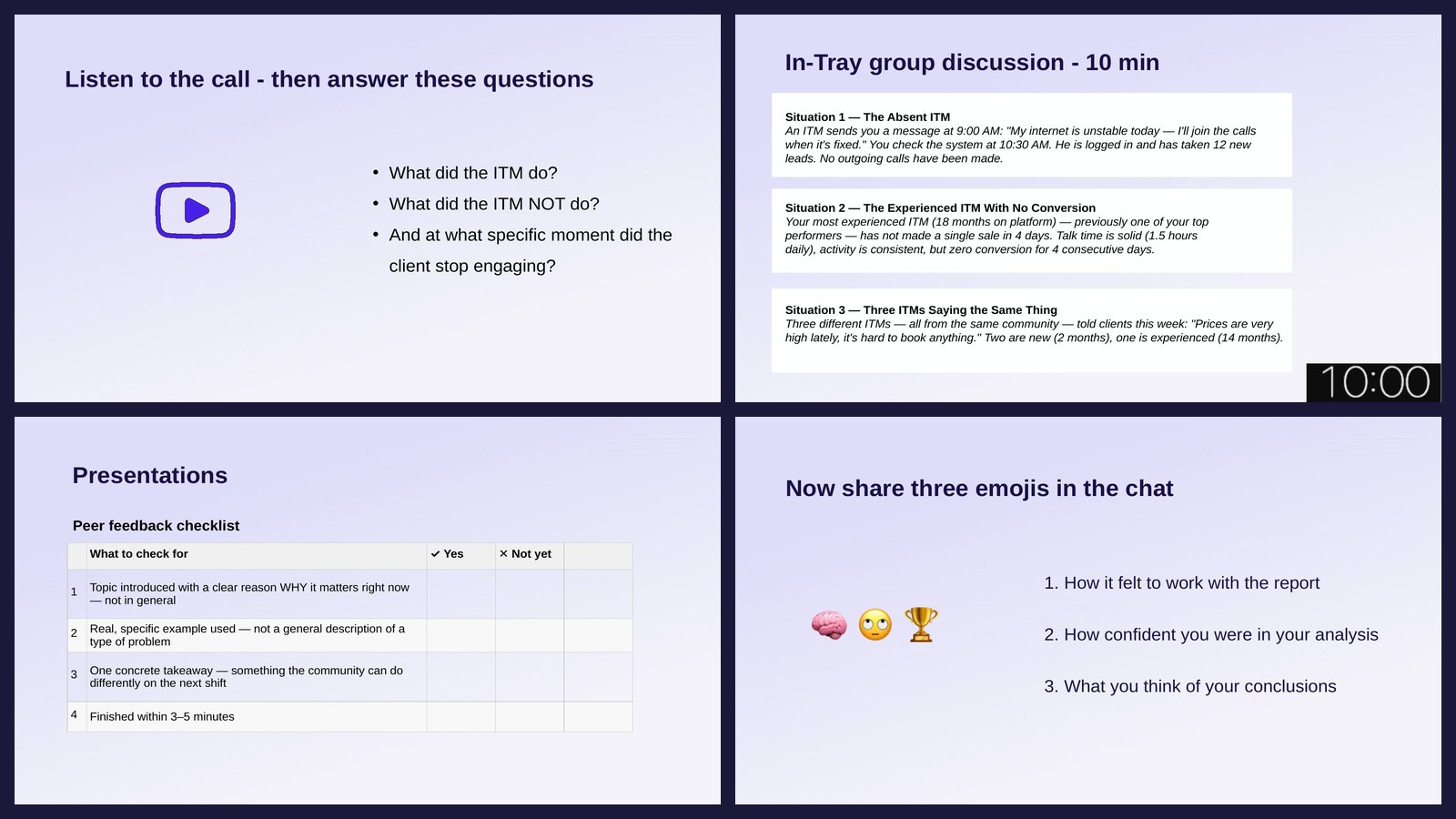
- Three live virtual sessions built on practice: real reports, a real call, a 1-on-1 plan, a presentation and difficult cases, each with feedback.
- Measure
- A five-part readiness assessment I built in Mindtickle, scored against a rubric. It decides who joins the advisor talent pool.
The problem
Dreamport needed future leaders who could lead remote teams. Like the Talent Academy, the Dreamport Academy prepares people for the role before the promotion, not after it.
- As advisors, they are measured on their team's results instead of their own.
- The job is new to them: reading team reports, coaching from calls, running 1-on-1s and group meetings, handling conflict in the community.
- Entry to the advisor talent pool is decided by a readiness assessment, so they needed to practice each part of it first.
Goal and objectives
GoalA talent pool of advisors chosen on evidence of how they read data, coach and lead.
- Read a team's productivity report and decide which team members need action today
- Build a prioritized 24-hour action plan for an underperforming team
- Decide what to handle first in an in-tray of competing issues, and in which format
- Diagnose a recorded client call and plan the 1-on-1 that follows
- Present a topic to the team in 3 to 5 minutes using a five-step structure
- Resolve a difficult community situation, choosing a public or a private response
Solution
- eLearning6 modules: the concepts
- Session 1Report analysis, in-tray prioritization
- Session 2Call diagnosis, 1-on-1 planning
- Session 3Presentation, difficult cases
- Assessment5 parts, scored with a rubric
The eLearning covers the concepts, so live time goes to practice. Most blocks follow the same six steps, from guided to independent practice:
- Recall5 to 10 minutes on the concepts the block uses
- Worked exampleOne case solved as a group, led by questions
- Practice aloneA similar case against a timer, in the assessment format
- CommitEveryone posts their answer in chat at once
- FeedbackStrong answers read aloud, then the model answer
- DebriefCompare cases and connect them to the job
vILT activities
Each session mixes two kinds of activity: skill practice that mirrors a task from the job and the assessment, and short engagement activities that make everyone produce something and show the trainer where the group is.
Skill practice
What trainees doRead a real team report in 60 seconds of silence, then answer the trainer's questions in a set order.
WhyEveryone forms a view before the first voice sets it. The question order models how an experienced advisor reads a report.
What trainees doDecide when and how to handle seven issues, paste the answers into the Teams chat on "go", then compare with the model answer.
WhyIt separates the two decisions the assessment scores: when to act and in which format.
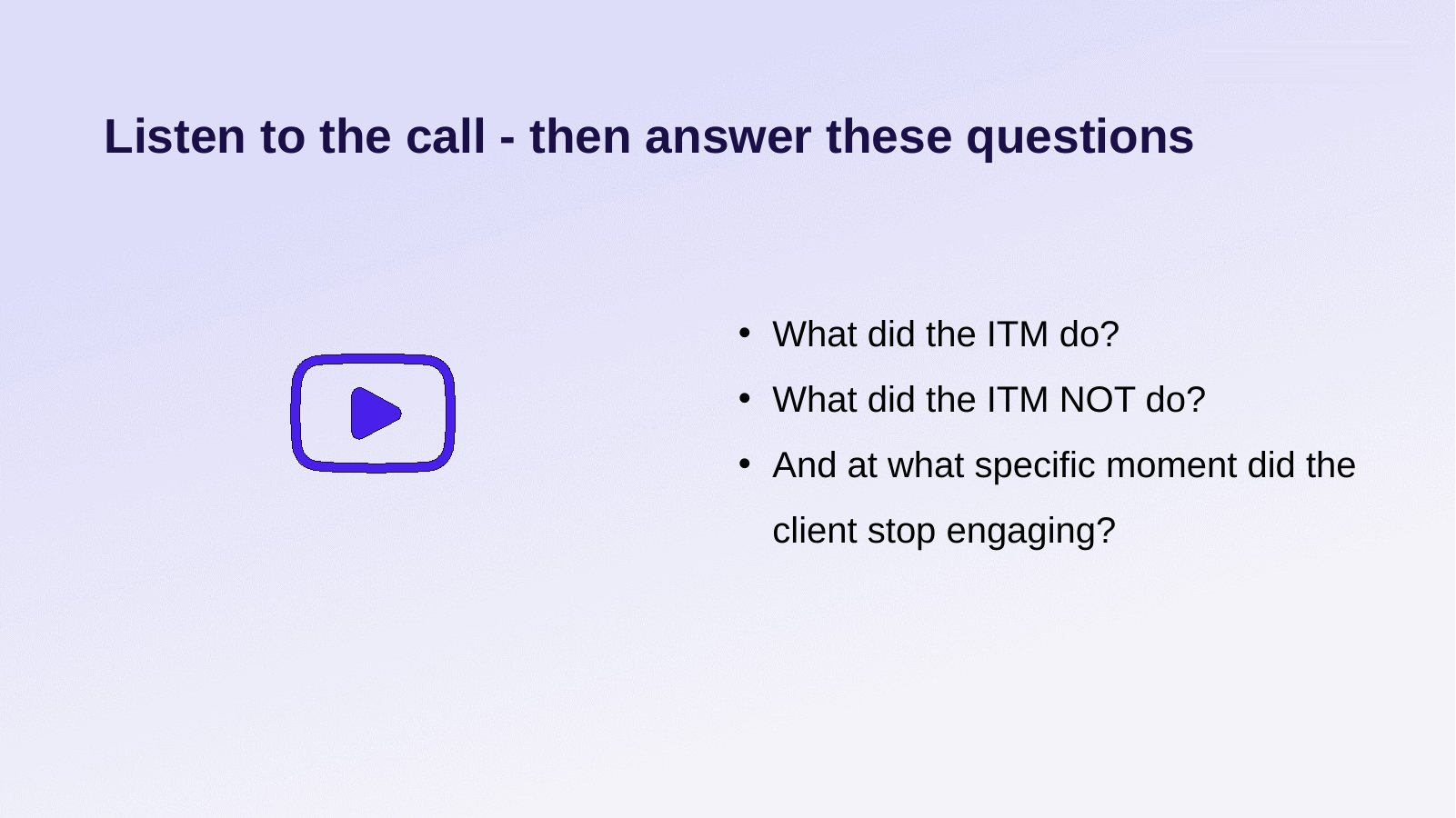
What trainees doPlay an 8-minute client call at the same moment and note what the team member did, missed, and when the client changed.
WhyCoaching starts from a specific moment in a call, not a number in a report.
What trainees doWrite the opening, one piece of feedback, a SMART goal and the close, then compare with a model 1-on-1.
WhyWriting the actual words is closer to the real conversation than describing it.
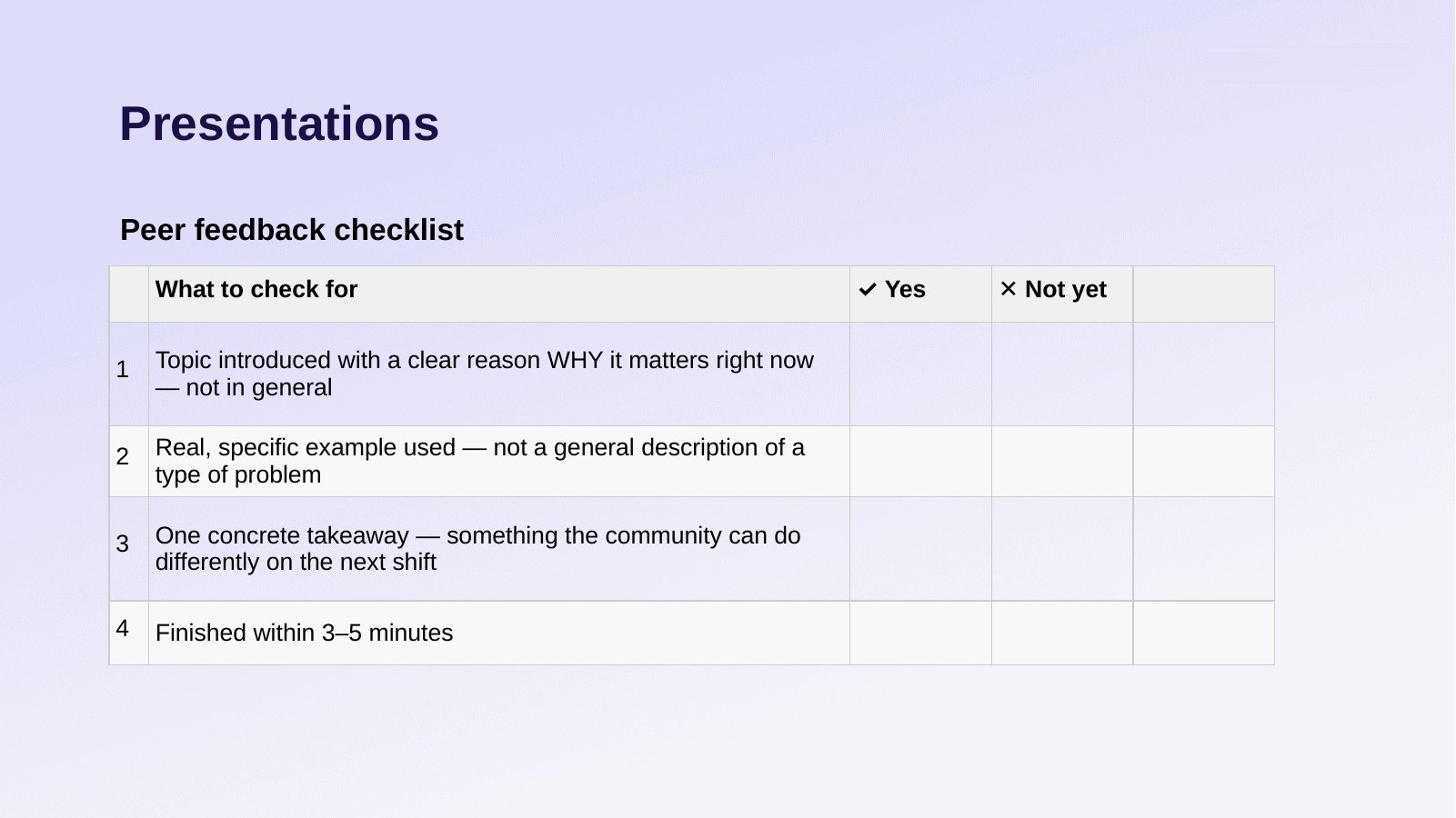
What trainees doPrepare with a five-step template, present for 3 to 5 minutes in a small room, get feedback from two observers with a checklist.
WhySmall rooms give everyone time to present. The checklist keeps feedback on behaviors.
What trainees doWork one of three difficult cases alone, post five answers, then compare how others decided the same case.
WhyDifferent decisions on one case show there's more than one defensible answer. The reasoning is what's scored.
Engagement activities
| Activity | When | What trainees do | Why |
|---|---|---|---|
| Recall poll Teams poll · 3 min | Start of each block | Answer 2 or 3 questions on the eLearning concepts the block uses. | Brings the concepts back before they're applied. Wrong answers show the trainer what to re-explain. |
| Chat waterfall Chat · 2 min | After each timed task | Write the answer, hold it, post it on "go" at the same moment as everyone else. | No one copies the first reply, and the trainer sees every answer, not only the loudest. |
| Contrast read-aloud Chat + voice · 5 min | After the waterfall | Hear two or three different answers to the same case read aloud, then say what separates them. | Shows there's more than one defensible decision and puts the focus on reasoning. |
| Three-emoji check-in Chat · 1 min | After the report analysis | Post three emojis: how the task felt, how confident they were, what they think of their conclusions. | A fast read on confidence before the next block. Low confidence gets attention right away. |
| Pick the case Emoji vote · 1 min | Session 3, before the case debrief | Vote with an emoji for the difficult case the group debriefs first. | The group starts with the case it found hardest. |
| Debrief questions Chat · 5 min | End of each case | Answer three questions, e.g. "What wrong conclusion would you reach from the data alone?" | Connects the case to how they'll decide on the job. |
| Readiness rating Chat · 1 min | After the mini presentations | Rate themselves 1 (more practice), 2 (almost there) or 3 (ready to do it with my team). | Tells the trainer who needs another round before the assessment. |
| Clear or question Reactions · 2 min | Close of Session 1 | React with a thumbs up if the content is clear, a question mark if not. | Every question mark is answered before the session ends. |
| One thing I'll do differently Chat · 2 min | Close of Session 2 | Post one concrete change they'll make in their work. | Turns the session into a specific next step. |
Facilitation
Each session has a word-for-word trainer script with timing, SAY and DO steps, model answers and what strong and weak answers look like, so any senior advisor can run it.
SAYI'm sharing the call recording link in the chat now. The call is 8 minutes. Take notes while you listen: what the team member does, what the team member does not do, and the moment when the client changes.
DOPaste the call link in the chat. Start the recording at the same time for everyone.
Excerpt from the Session 2 scriptHow it's measured
A readiness assessment I built in Mindtickle. Each part matches one session task. Assessors score two competencies per part from 1, not ready, to 5, highly ready, against a written rubric. The total places each candidate in one of three bands: ready for the talent pool, development needed, or not ready yet.
| Part | Task | Time | Practiced in |
|---|---|---|---|
| 1 | Business case: report analysis and action plan | 25 min | Session 1 |
| 2 | In-tray prioritization | 20 min | Session 1 |
| 3 | Call listening and 1-on-1 planning | 15 min | Session 2 |
| 4 | Mini presentation | 20 min | Session 3 |
| 5 | Case resolution, live in Teams | 15 min | Session 3 |