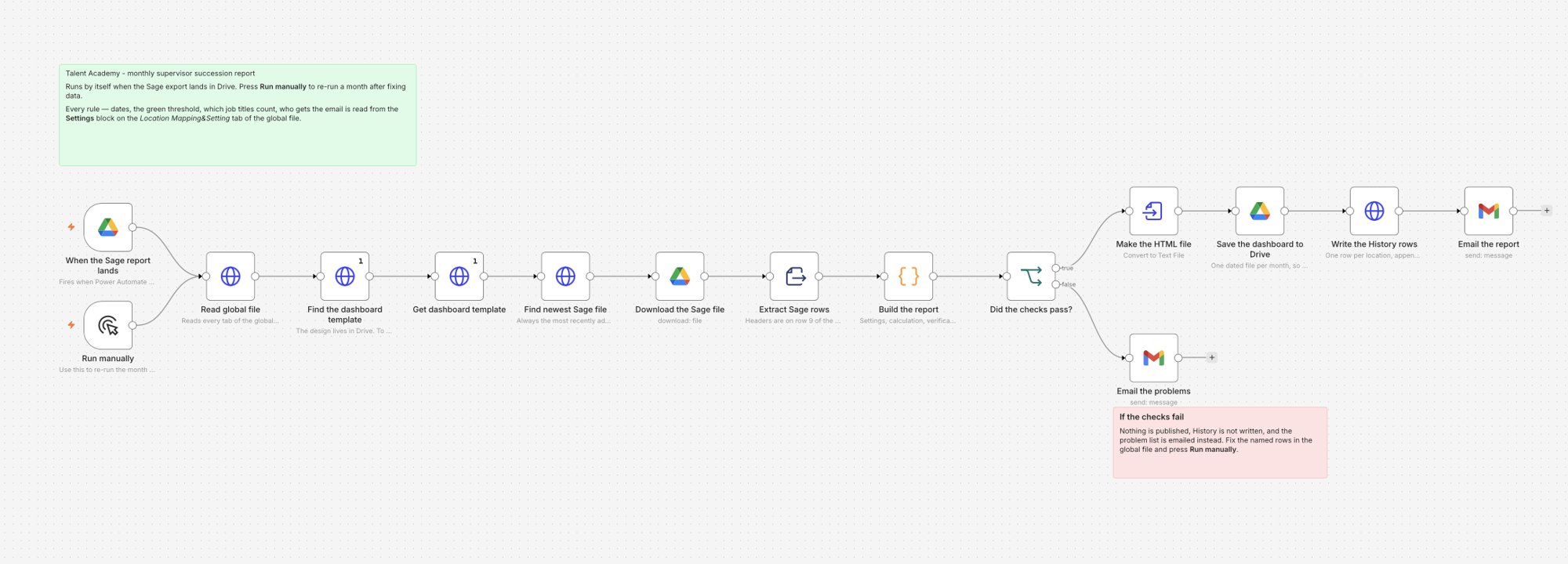
An n8n workflow that matches Talent Academy program data with HR records and emails HR a dashboard every month. It replaced a manual report built from two files that did not match.
Audience
HR directors and L&D
Format
Monthly dashboard and email
My role
Design and build
Tools
n8n, Power Automate, Sage People export, HTML dashboard
Problem
Program results were in one file and employment data in another. Matching them by hand each month was slow and error-prone.
What I did
Built an automated workflow that matches both files, checks the data, builds a dashboard and emails HR the link.
Result
A monthly report since August 2026 with no manual matching. Data errors are listed in the email for HR to fix.
01
The problem
Two sources, neither complete. The Academy file records who entered and what the committee decided. The HR system records who is still employed and in which role.
Status changes quickly. A candidate approved in March may be promoted, still waiting or gone by June.
Leaders need it monthly, by location, against their supervisor hiring targets.
02
How it works
The HR export arrives. Power Automate saves it from email to the shared drive.
n8n matches each candidate to their HR record: promoted, still in the same role, or left the company.
It checks the data. Errors that would make a figure wrong stop the report. Smaller gaps are listed for HR to fix.
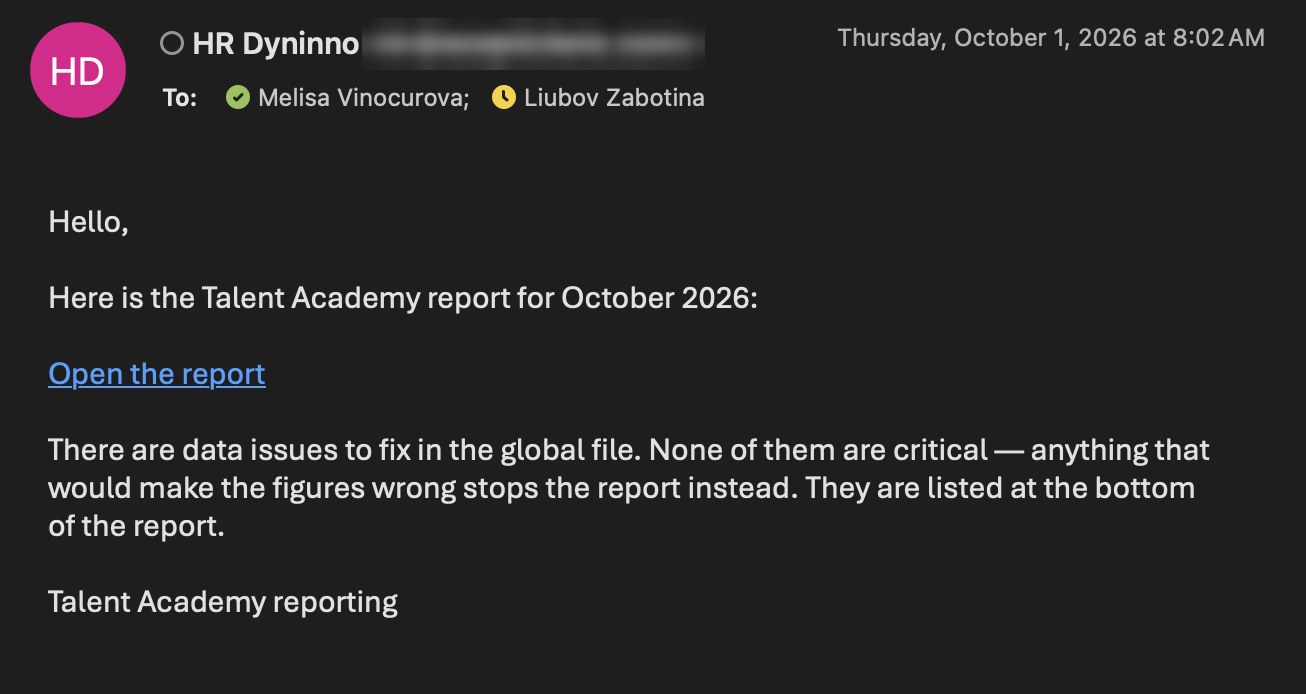
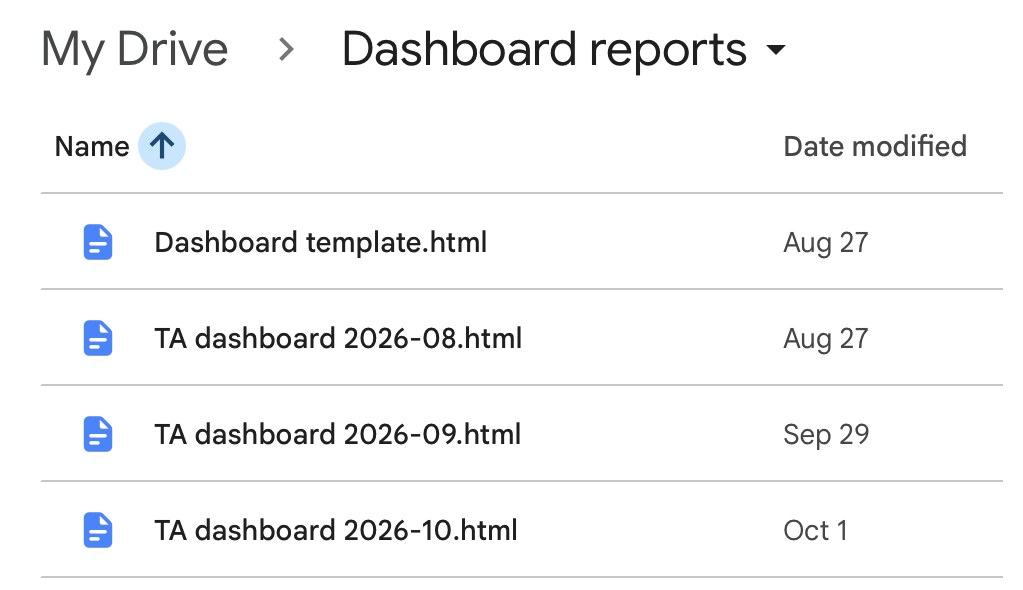
It publishes. The dashboard is saved to the reports folder and HR receives an email with the link.
The email HR gets each month.One file per month.
03
What leaders see
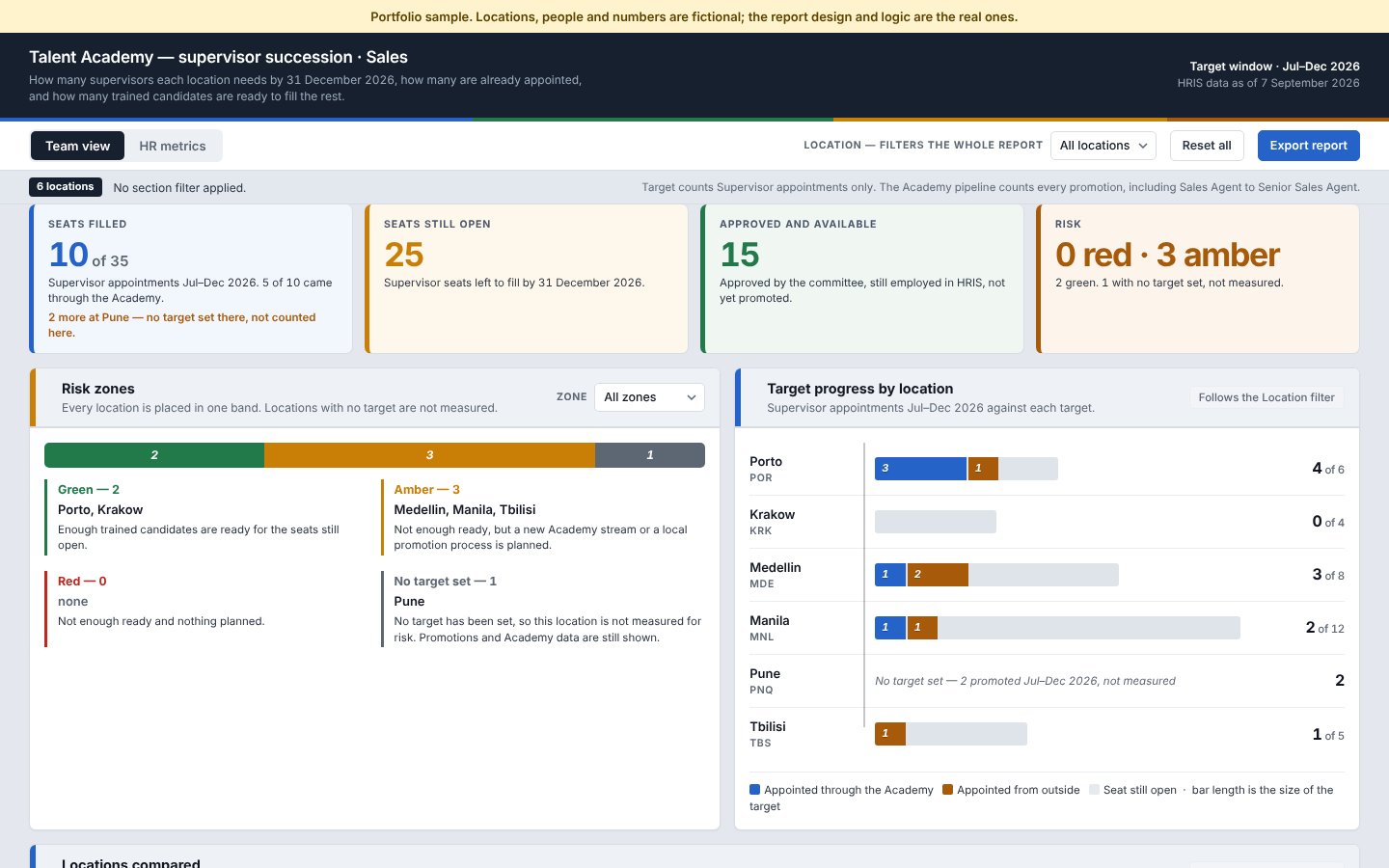
Supervisor positions filled against each location's target, and how many came through the Academy
Open positions, with a green, amber or red risk rating
Approved candidates available for promotion
The status of every candidate: promoted, waiting, on a development plan, or left the company