vILT activityDreamport (Dyninno Group)
Interactive vILT Activity: In‑Tray Prioritization
An interactive activity from a live virtual session in Microsoft Teams. Seven issues are waiting; trainees decide when and how to handle each, share their answers in chat, then review the model answers.
- Audience
- Team members preparing to become advisors
- Where it runs
- Dreamport Academy, Session 1
- Platform
- Microsoft Teams
Try it: the in-tray activity
Choose a screen below: what the group sees on the trainer's shared screen, or what each learner does on their own device.- Objective
- Decide what to handle first among competing issues, choose the communication format for each, and explain why.
- How it runs live
- Trainees open the link from the Teams chat and work alone for 10 minutes. On "go" they paste their answers into the chat. The facilitator shares the review.
- Two screens
- A facilitator screen shared with the group, and a learner screen each trainee opens from the chat link. Switch between them at the top.
Objective
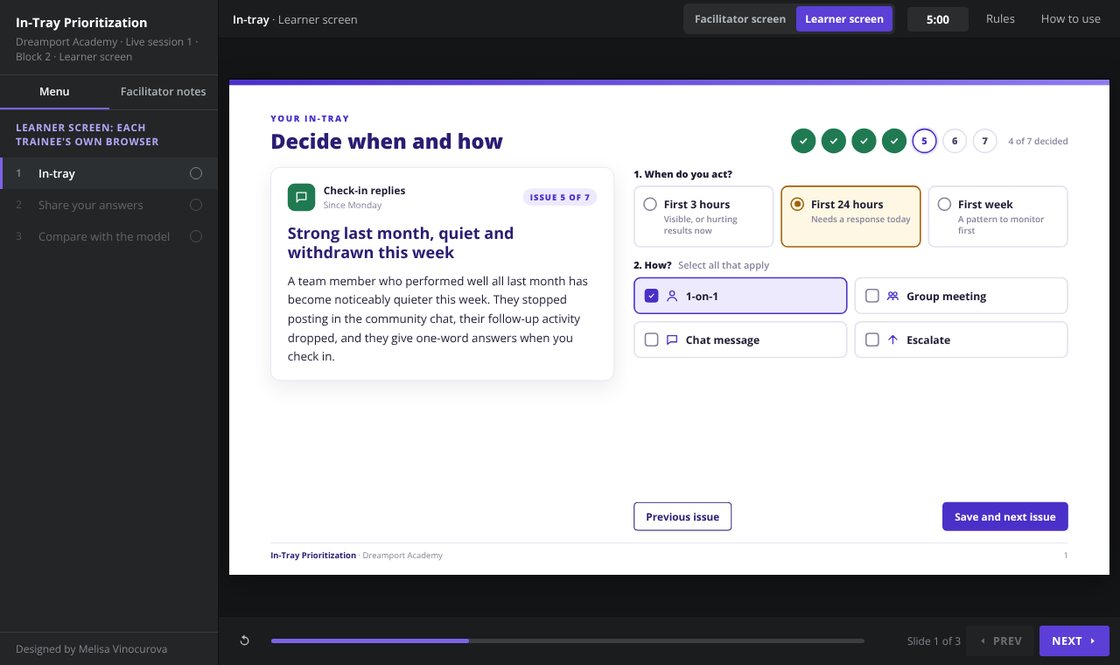
Given seven issues that all feel urgent, decide for each one when to act (within 3 hours, 24 hours or a week) and how (1-on-1, group meeting, chat message or escalation).
It prepares trainees for part 2 of the Dreamport Academy readiness assessment, a 20-minute in-tray task. See the full program
What learners see
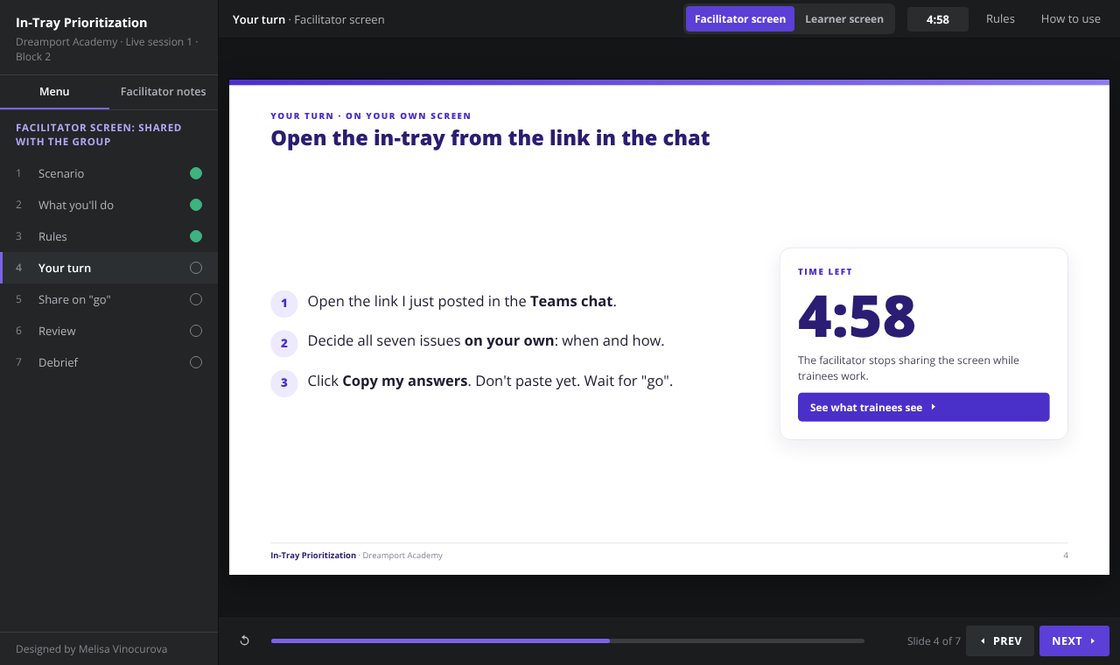
The activity has two screens. The trainer shares the facilitator screen with the group. Each trainee opens the learner screen from the link in the Teams chat and works on their own.
On the learner screen
- 1. Decide each issueRead the issue, choose when to act and one or more formats, save. The progress dots fill as each issue is decided.
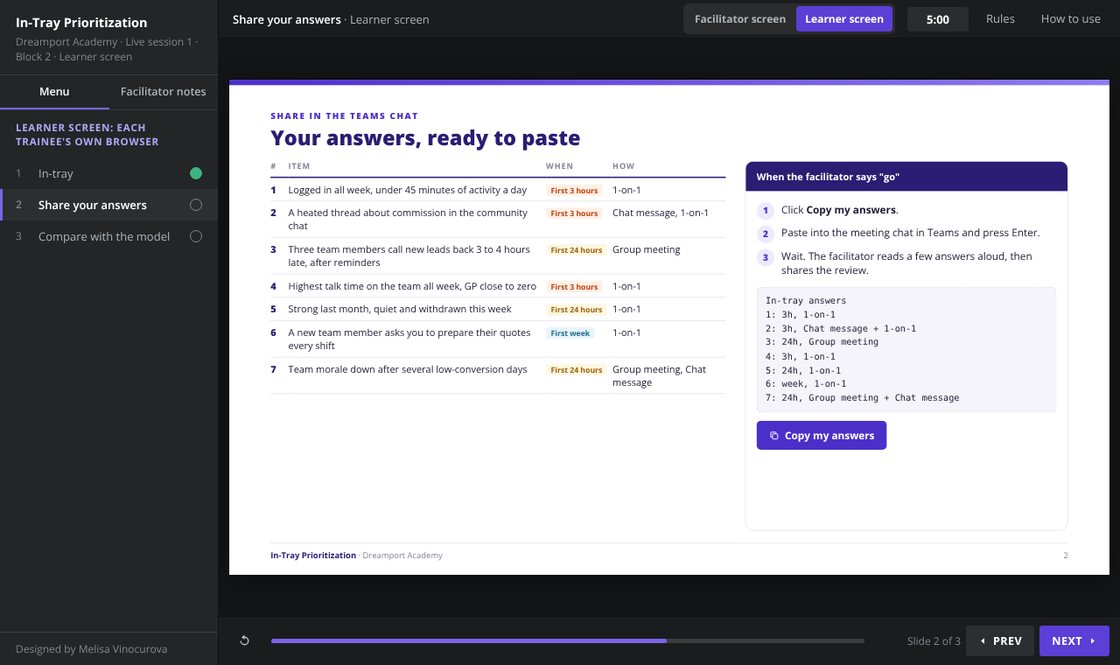 2. Copy and shareCheck the summary, click Copy my answers, and paste into the Teams chat when the trainer says "go".
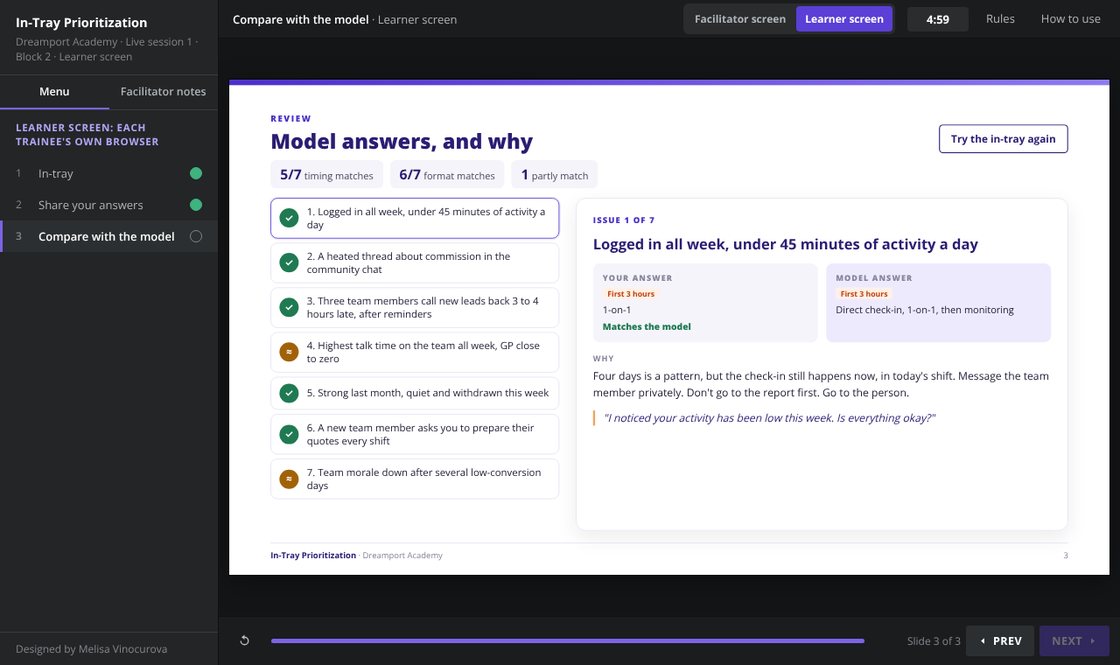 3. Compare with the modelAfter the group review, each trainee sees their answer next to the model answer, marked as a match, a partial match or different, with the reasoning.
How it runs live
| Step | Time | Trainees | Facilitator |
|---|---|---|---|
| Rules | 2 min | Review the two decisions and two rules | Shares the screen and reads the rules |
| Your turn | 10 min | Open the learner screen from the chat link and decide all seven issues alone | Posts the link, stops sharing, keeps time |
| Share on "go" | 2 min | Click "Copy my answers" and paste into the Teams chat on "go" | Shares the countdown slide, picks answers to read aloud |
| Review | 10 min | Compare their answers with the model answer and reasoning | Shares the review, focuses where chat answers differ, asks three debrief questions |
Why it's built this way
Two decisions, scored separately
Timing and format are chosen separately, as in the assessment. Two issues can be equally urgent and still need different formats.
Commit before the review
NEXT stays locked until all seven issues are decided, and everyone pastes answers at once, so nobody copies the first reply.
Reasoning, not just the answer
The review explains each model answer and gives the line an advisor would actually say.
How it's assessed
| Competency | 1 · Not ready | 3 · Acceptable | 5 · Highly ready |
|---|---|---|---|
| Prioritization | Poor urgency recognition and sequencing | Mostly appropriate prioritization | Excellent prioritization focused on business impact |
| Communication judgment | Inappropriate communication methods | Mostly appropriate communication choices | Format chosen for urgency and audience |
From the rubric for part 2 of the readiness assessment I built in Mindtickle.